Thrive's Website Demo Design
Purpose of the Project
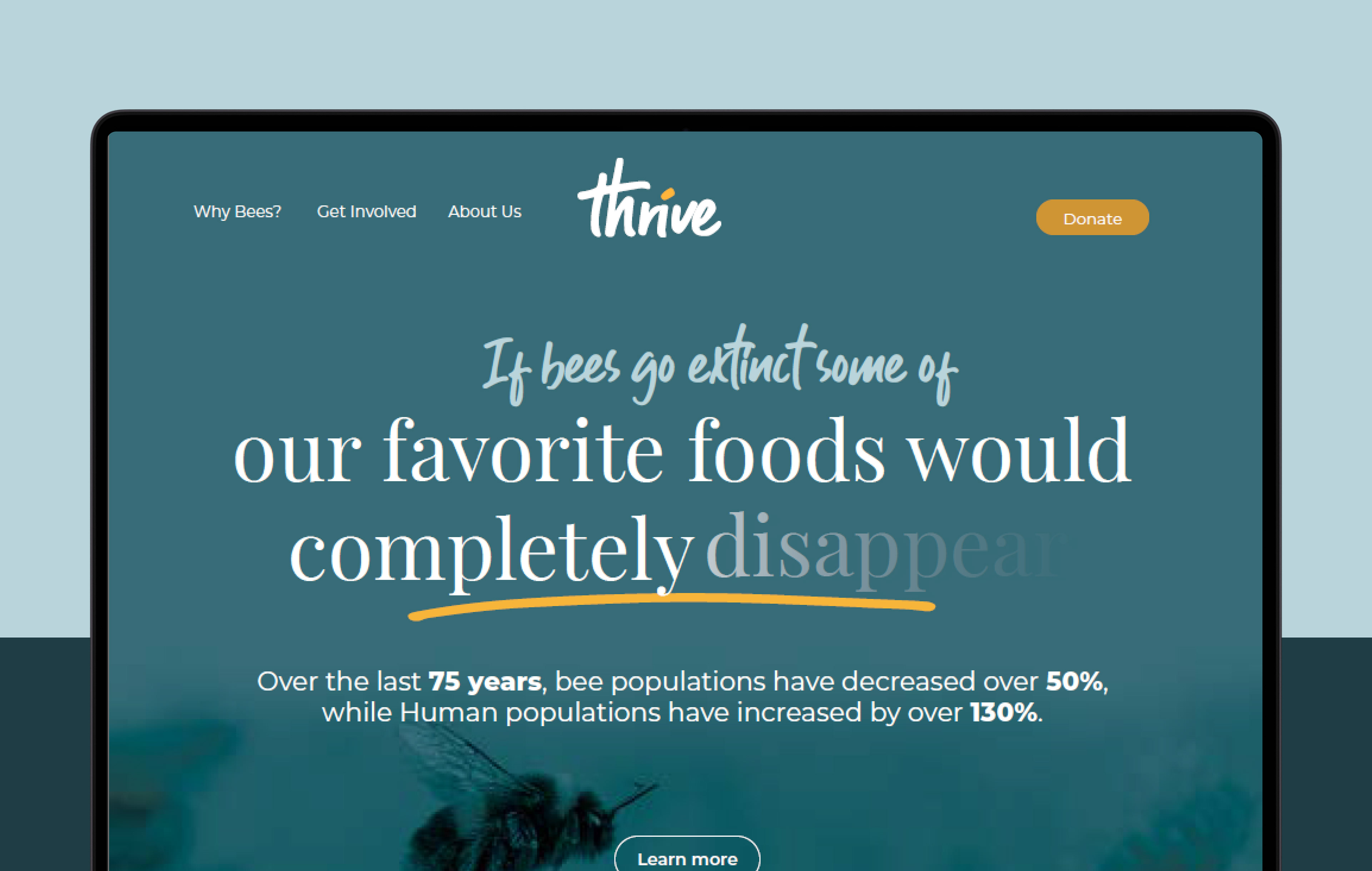
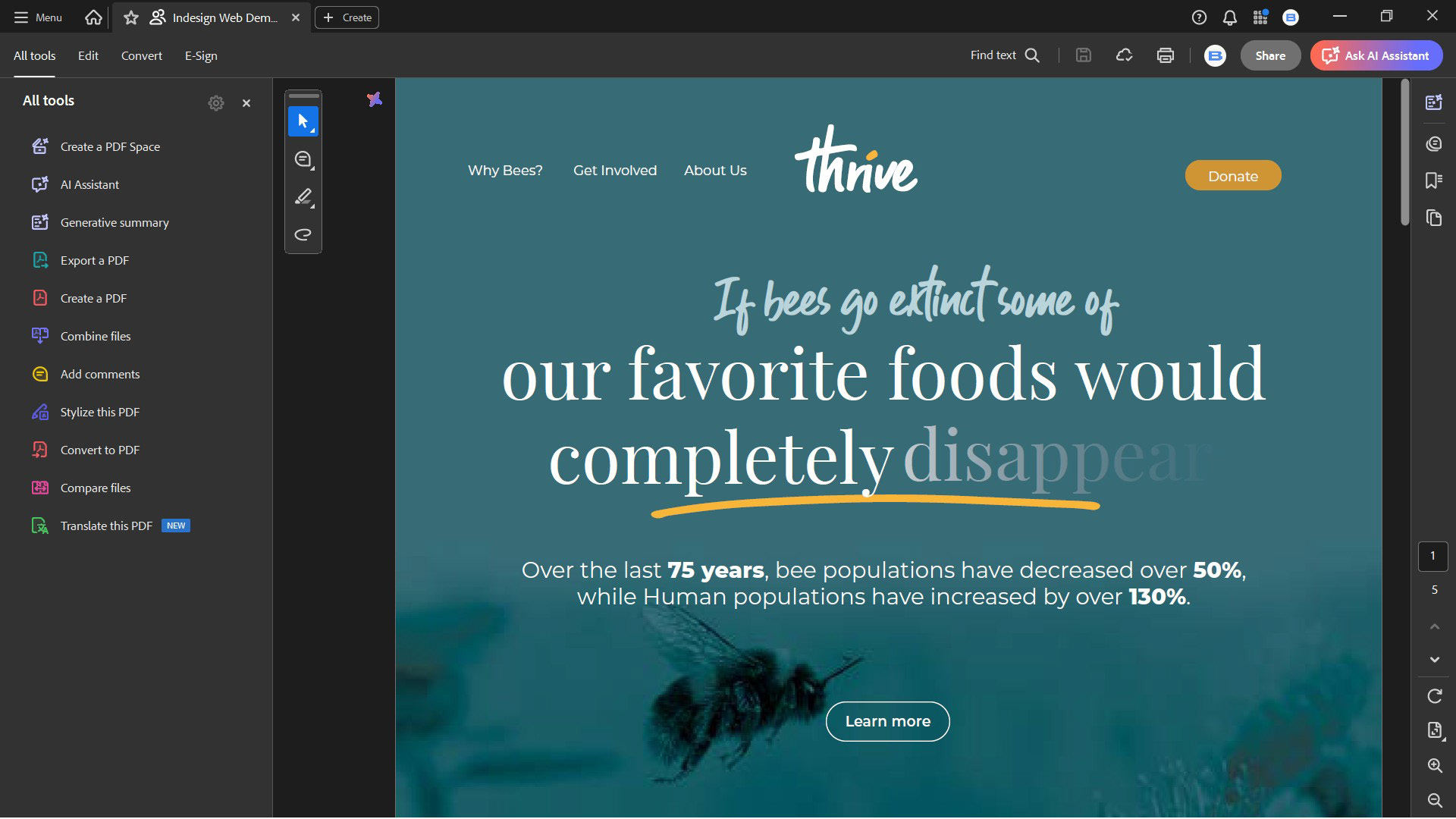
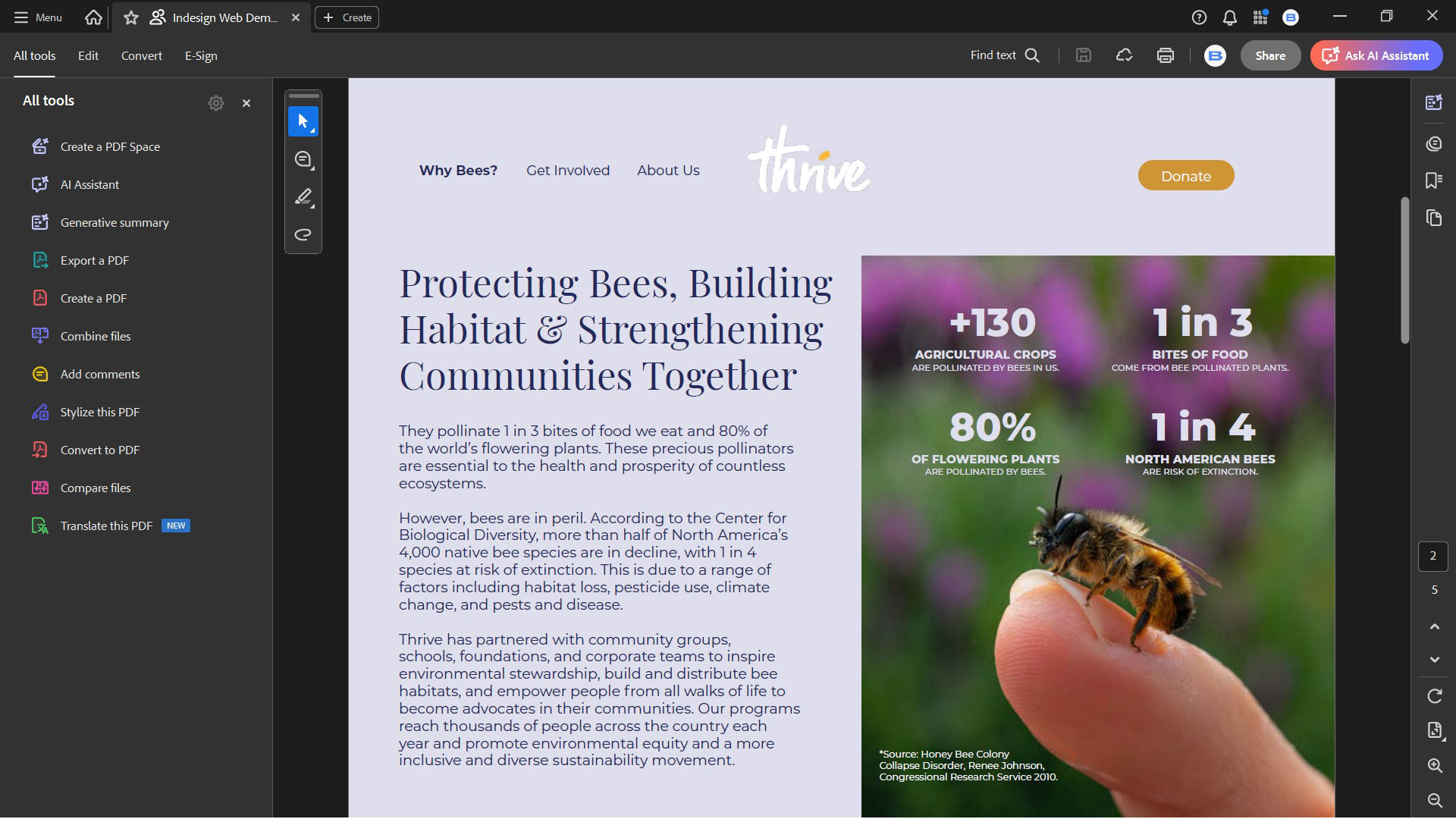
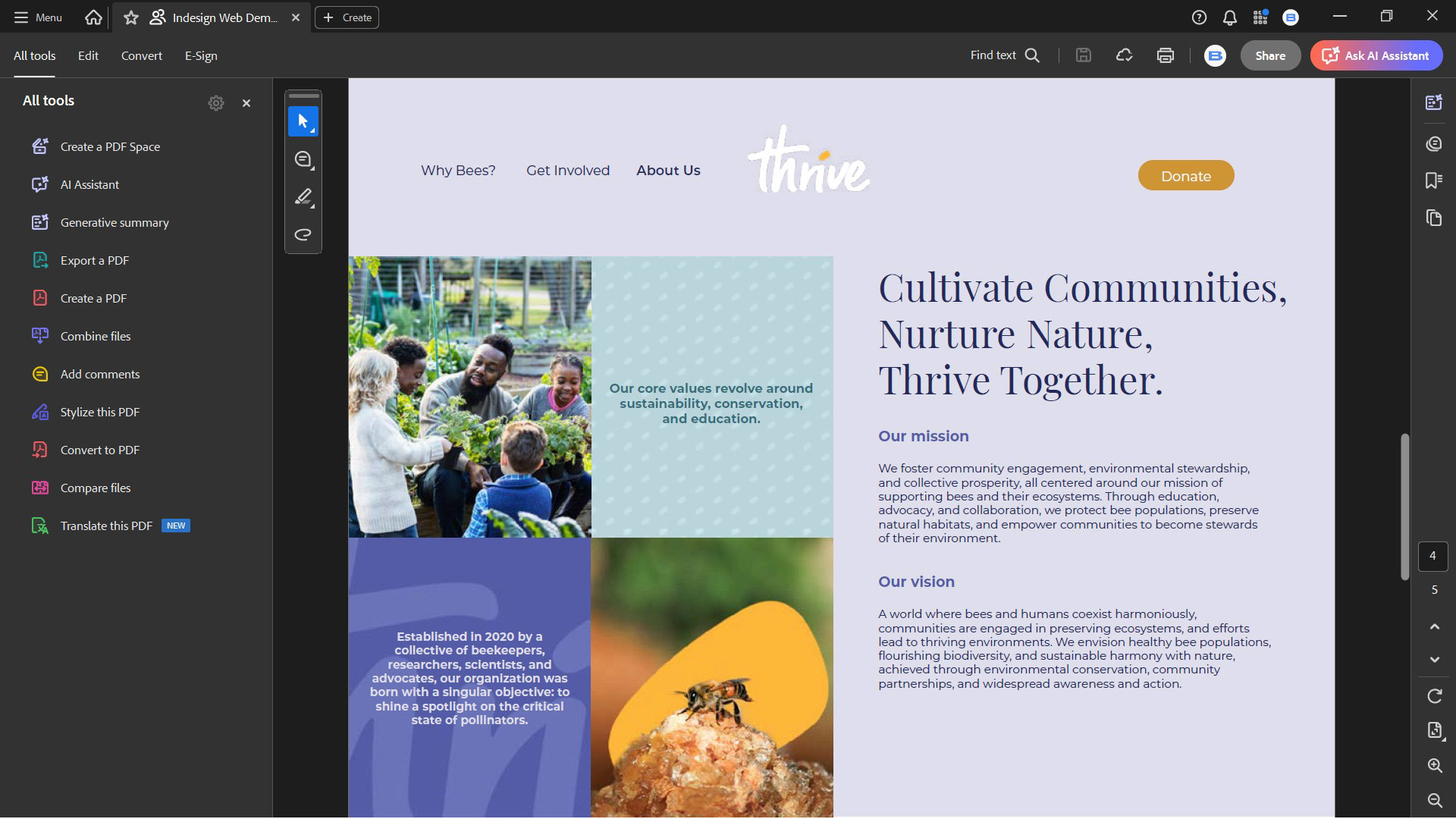
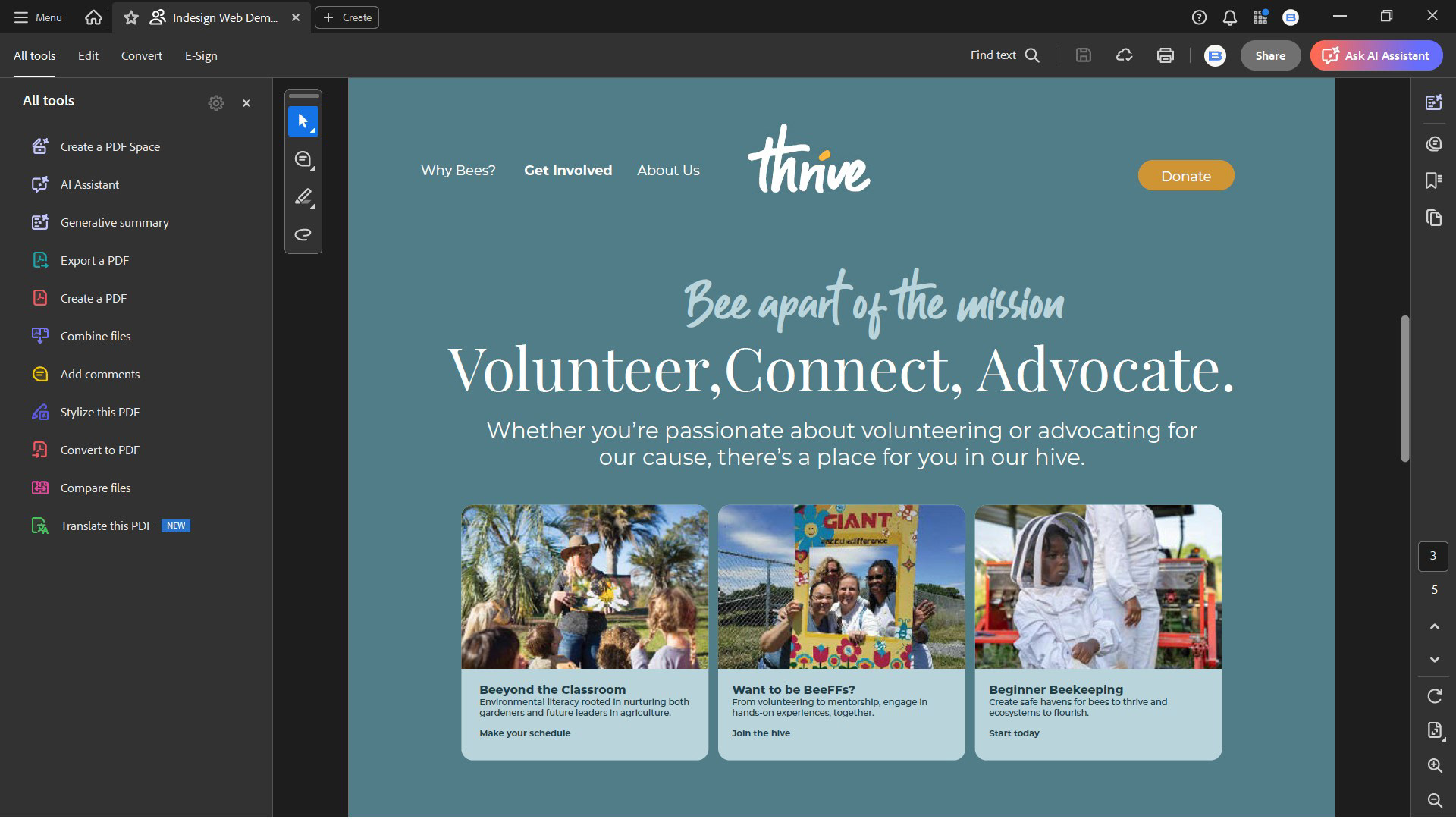
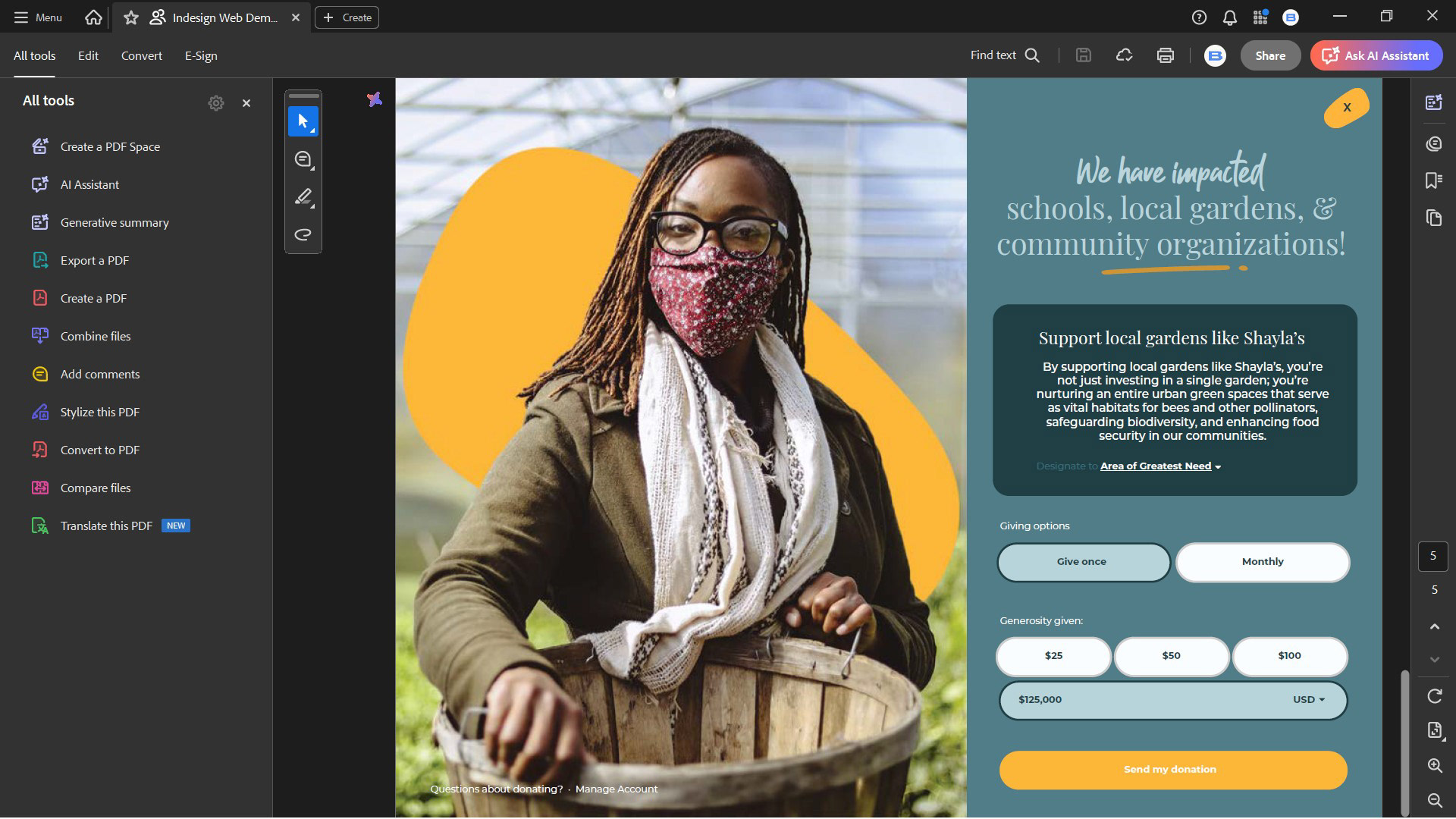
This project created an interactive website prototype for Thrive, a nonprofit dedicated to saving the bees. The demo was designed to help stakeholders visualize the site’s mission, flow, and branding before committing resources to full website development. Using Adobe InDesign, I built a shareable PDF prototype that provided a polished, collaborative, and cost-efficient way for board members and volunteers to review the design on any device.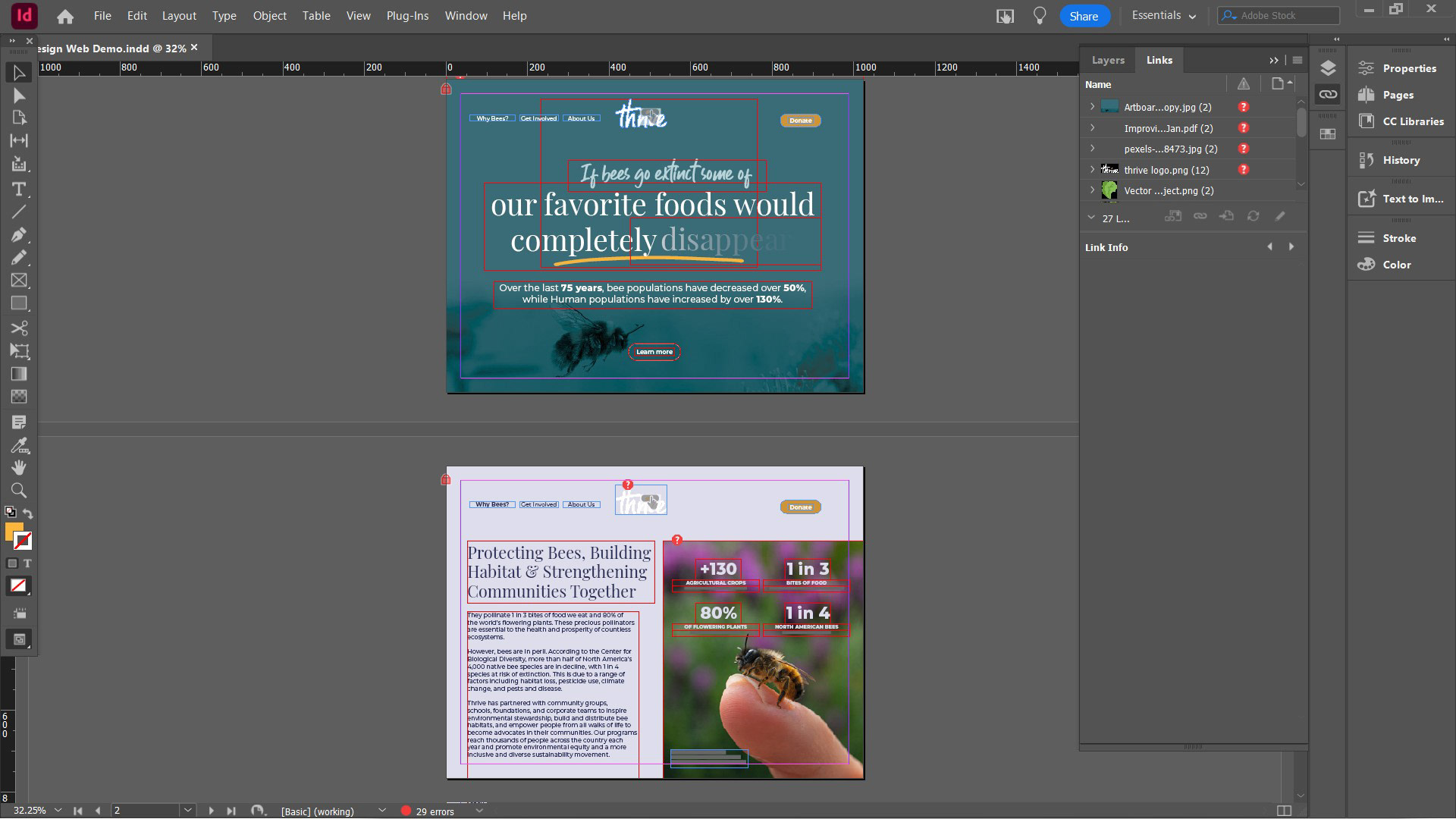
What Was Focused On
Clarity of Message
Ensuring the mission of saving bees was instantly communicated through copy and visuals.
Ensuring the mission of saving bees was instantly communicated through copy and visuals.
Visual Hierarchy
Using typography, scale, and spacing to direct attention toward key actions, such as donating or volunteering.
Using typography, scale, and spacing to direct attention toward key actions, such as donating or volunteering.
Imagery
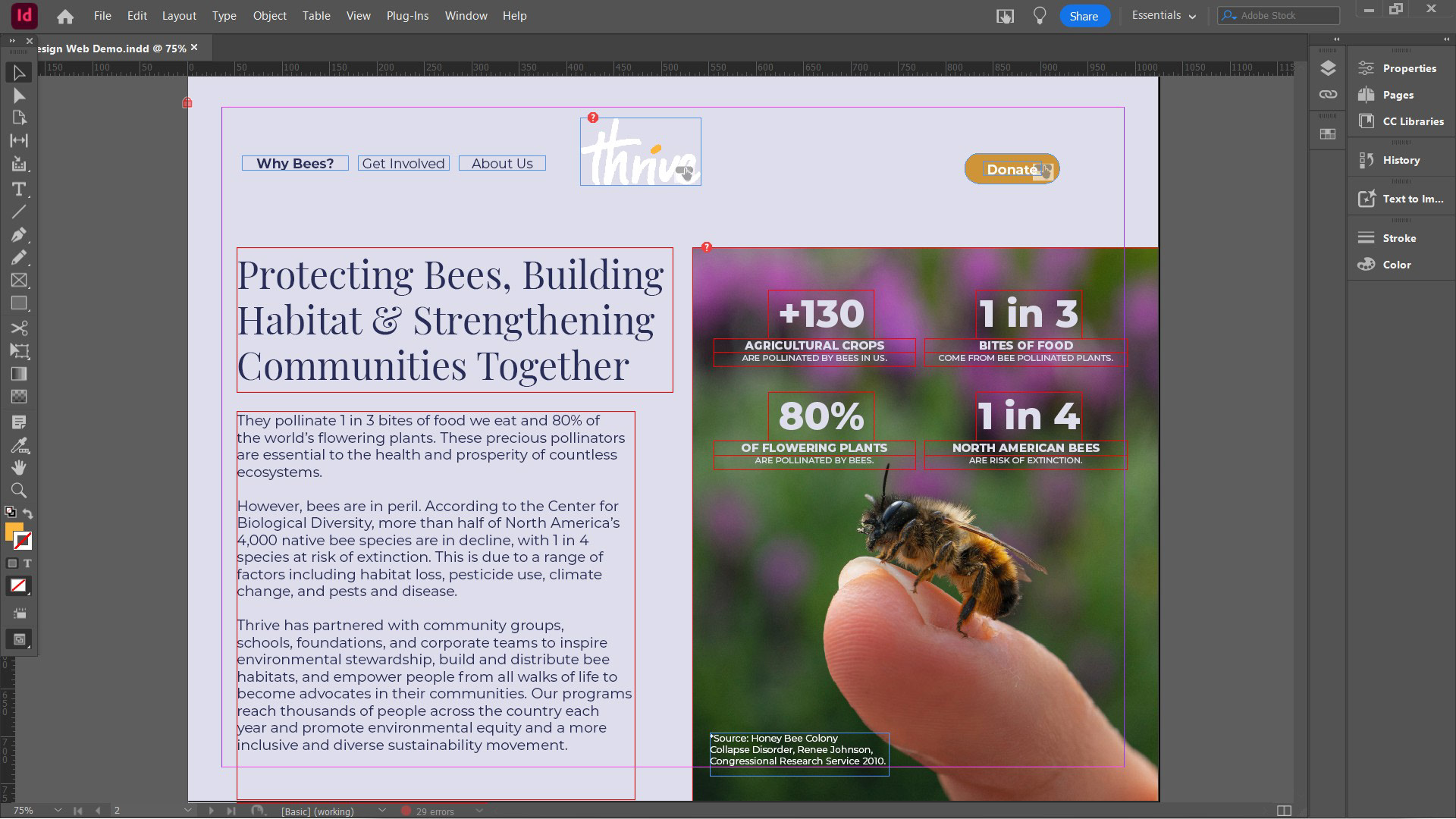
Incorporating bee and nature photography to emotionally connect visitors with the cause.
Incorporating bee and nature photography to emotionally connect visitors with the cause.
Accessibility & Collaboration
Designing in a way that could be shared as an interactive PDF prototype, ensuring easy stakeholder feedback without requiring specialized software.
Designing in a way that could be shared as an interactive PDF prototype, ensuring easy stakeholder feedback without requiring specialized software.
Nature-Inspired Palette
Selecting warm yellows and earthy greens to symbolize bees, growth, and sustainability.
Selecting warm yellows and earthy greens to symbolize bees, growth, and sustainability.
Layout & Readability
Leveraging InDesign’s grid and type controls to create balance and flow across sections.
Leveraging InDesign’s grid and type controls to create balance and flow across sections.
Interactive Structure
Building clickable navigation and interactive page flows to simulate a real browsing experience.
Building clickable navigation and interactive page flows to simulate a real browsing experience.
What Was Learned
Designing for Cause-Driven Organizations
Nonprofits need websites that balance storytelling with practical action steps.
Nonprofits need websites that balance storytelling with practical action steps.
Resource Efficiency
Creating an interactive prototype in InDesign provided a professional deliverable without heavy development costs, an approach especially valuable for nonprofits.
Creating an interactive prototype in InDesign provided a professional deliverable without heavy development costs, an approach especially valuable for nonprofits.
Collaboration Benefits
An accessible format (interactive PDF) made it possible for non-design stakeholders to engage with the design early.
An accessible format (interactive PDF) made it possible for non-design stakeholders to engage with the design early.
Visual Storytelling
Using consistent colors, imagery, and hierarchy builds trust and makes the cause memorable.
Using consistent colors, imagery, and hierarchy builds trust and makes the cause memorable.